

Onto Innovation
Title: Lead Product Designer
Project Type: ADC Software - Models, Reporting, Datasets
Tools Used: Figma
Team: Jason Remillard - Product Manager
Lillie Pruitt - Lead Designer, Image Management

The Overview:
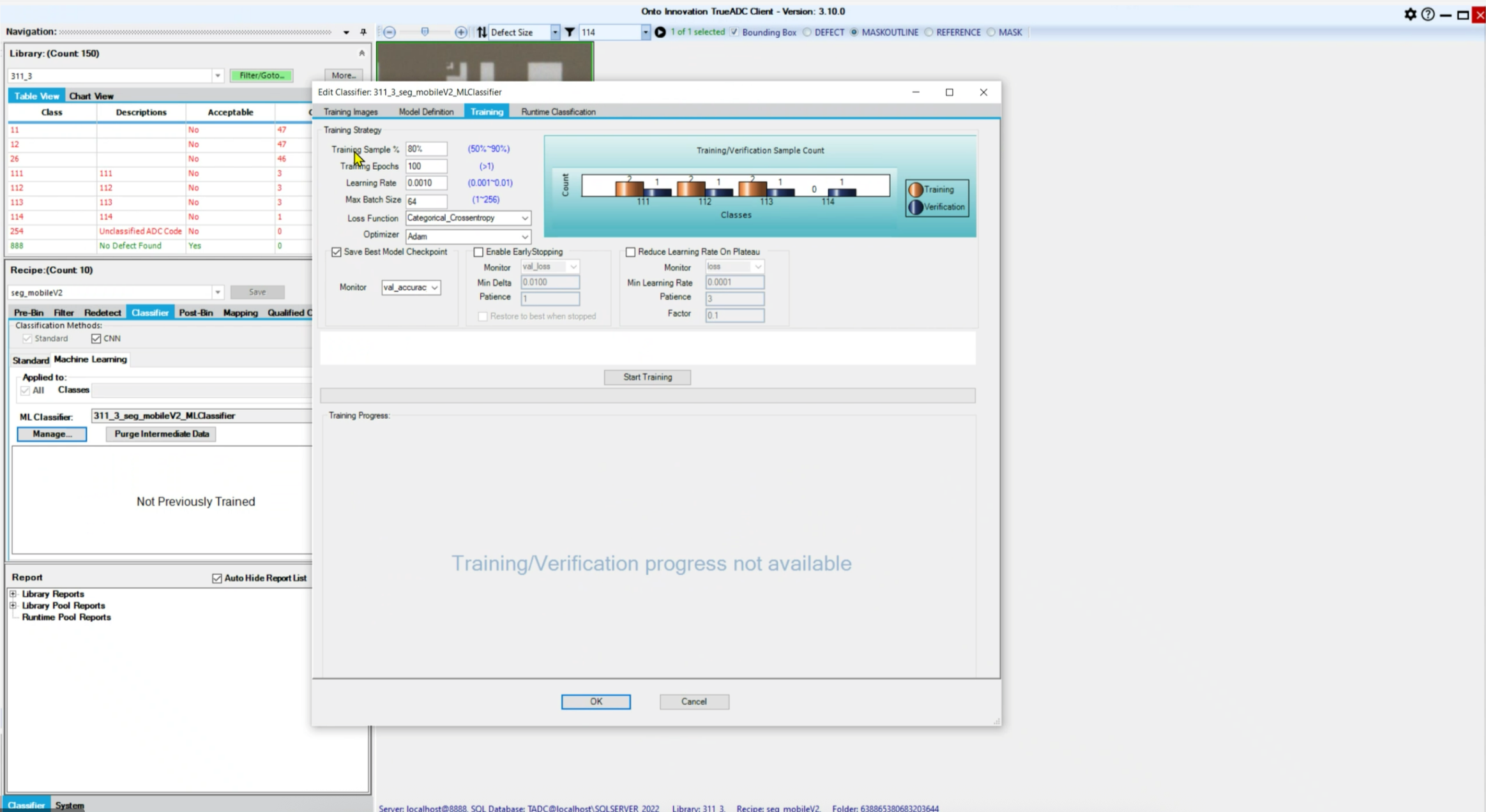
Semiconductor engineers rely on machine learning models to detect defects on wafers—but our existing software made it difficult through shoddy, outdated, and clunky user experience.
I designed an end-to-end workflow that enables engineers to create models, build and configure datasets, apply augmentations, evaluate model performance diagnose misclassifications, generate structured reports, and use these powerful tools at any level of expertise.
My Role
Led UX design for the end-to-end model workflow
Defined system architecture across multiple touchpoints
Designed interfaces for both novice and expert users
Translated complex ML concepts into usable tools
Designed software that beginner-to-expert level semi-conductor engineers could use with ease
My Goal
Designs that:
Make creating models, datasets, and reports easy and intuitive
Enable engineers to quickly identify and fix errors
Bridge the gap between entry level engineers and seasoned pros
The Problem
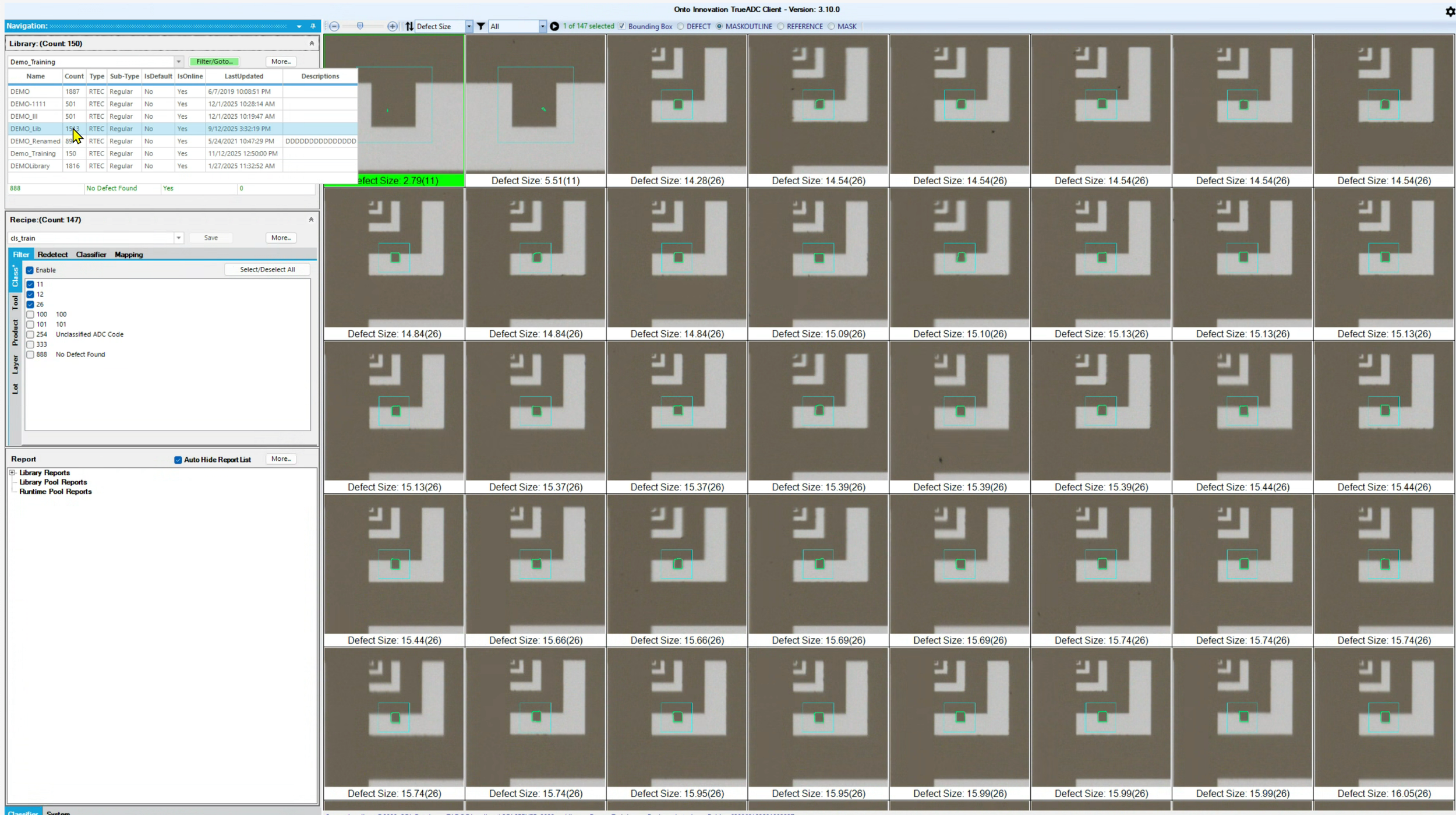
The existing ADC platform suffered from fundamental usability and workflow issues evidenced by a worrying System Usability Scale score of 32 / 100.
Models, datasets, reports were slow, manual, and outdated.
Onto customers were victims to bad user experience and were threatening to divest and move to Onto’s competitors if the software didn’t serve the needs of 21st century semicon engineers.
A change needed to be made.
Model Workspace
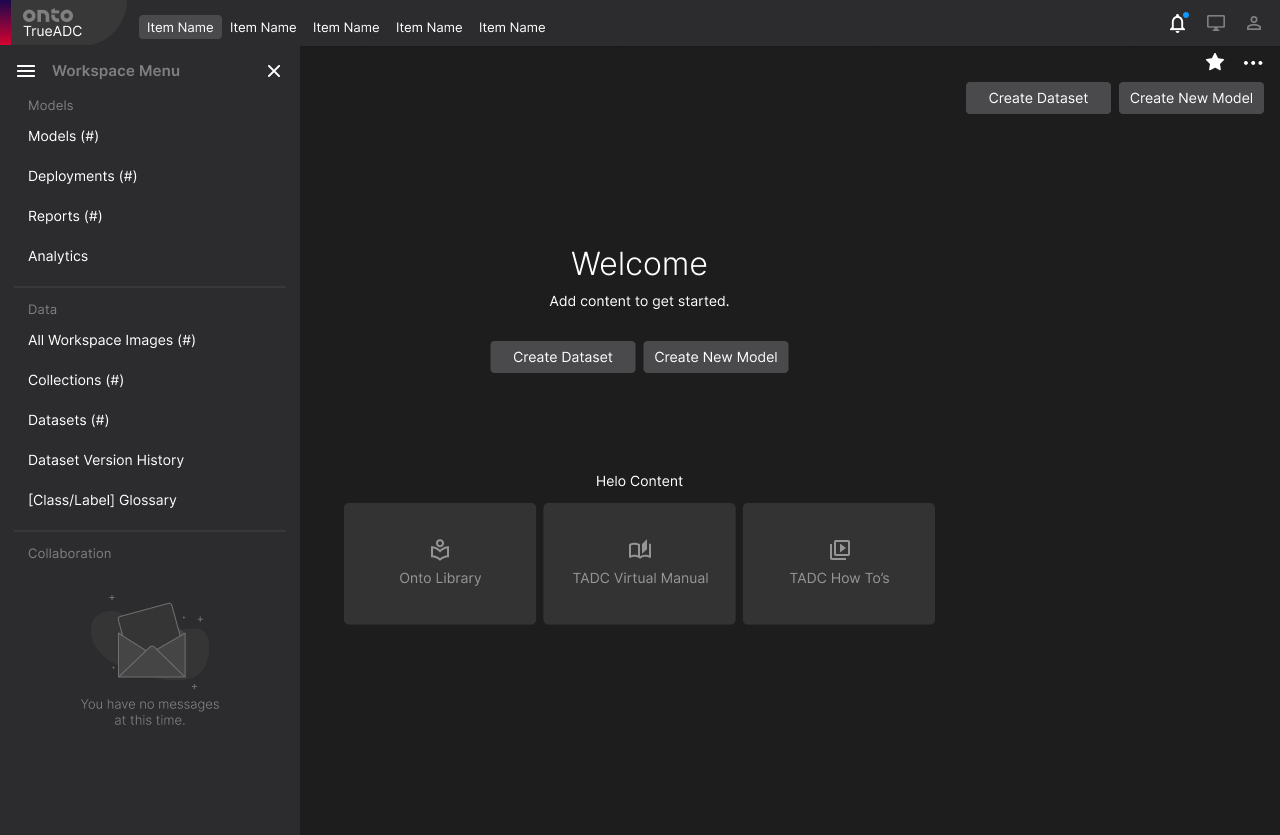
Creating models is at the heart of automatic defect detection. Whether the user is making a single or multi classification model to assign defect labels to images in a given collection, or a detection model designed to find defects using existing labels - True ADC 4 needed to be a powerful hub that fulfilled many user needs.
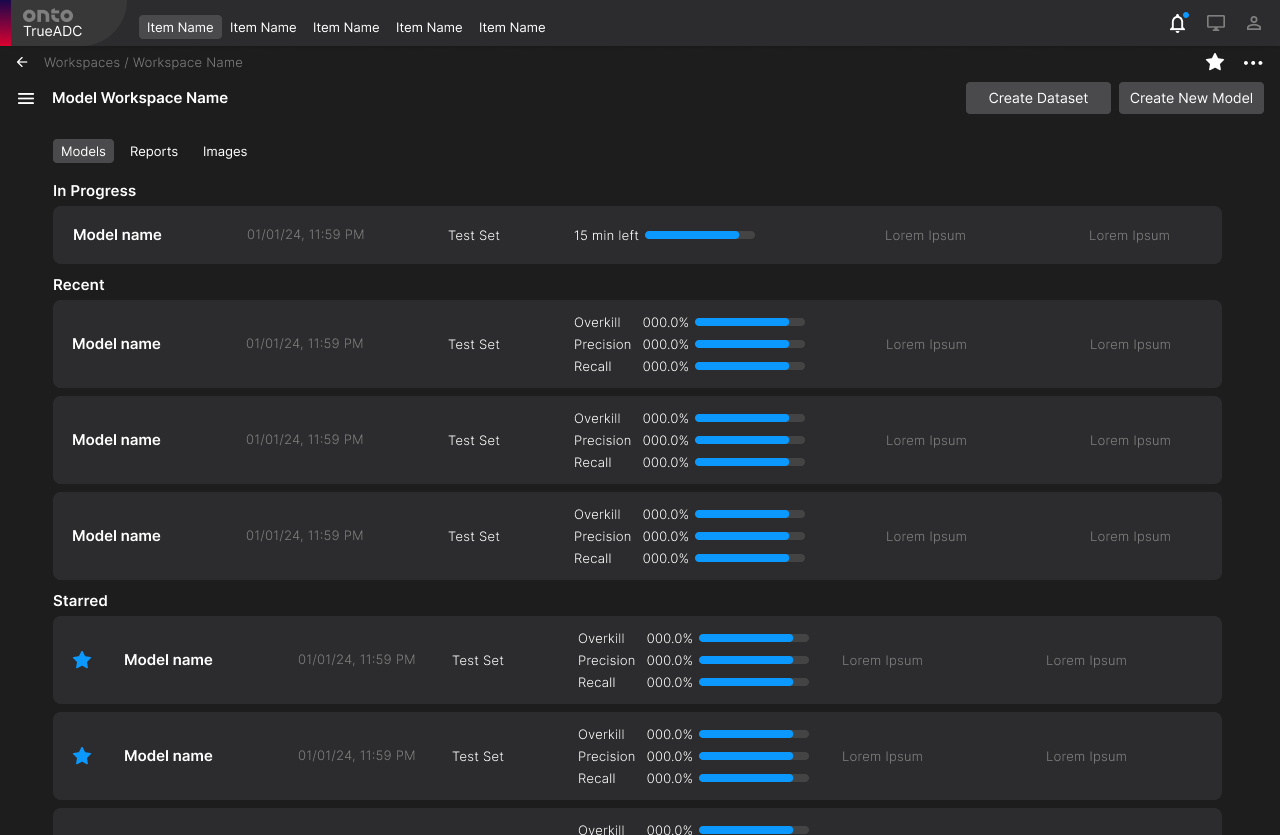
Model Workspace Landing page
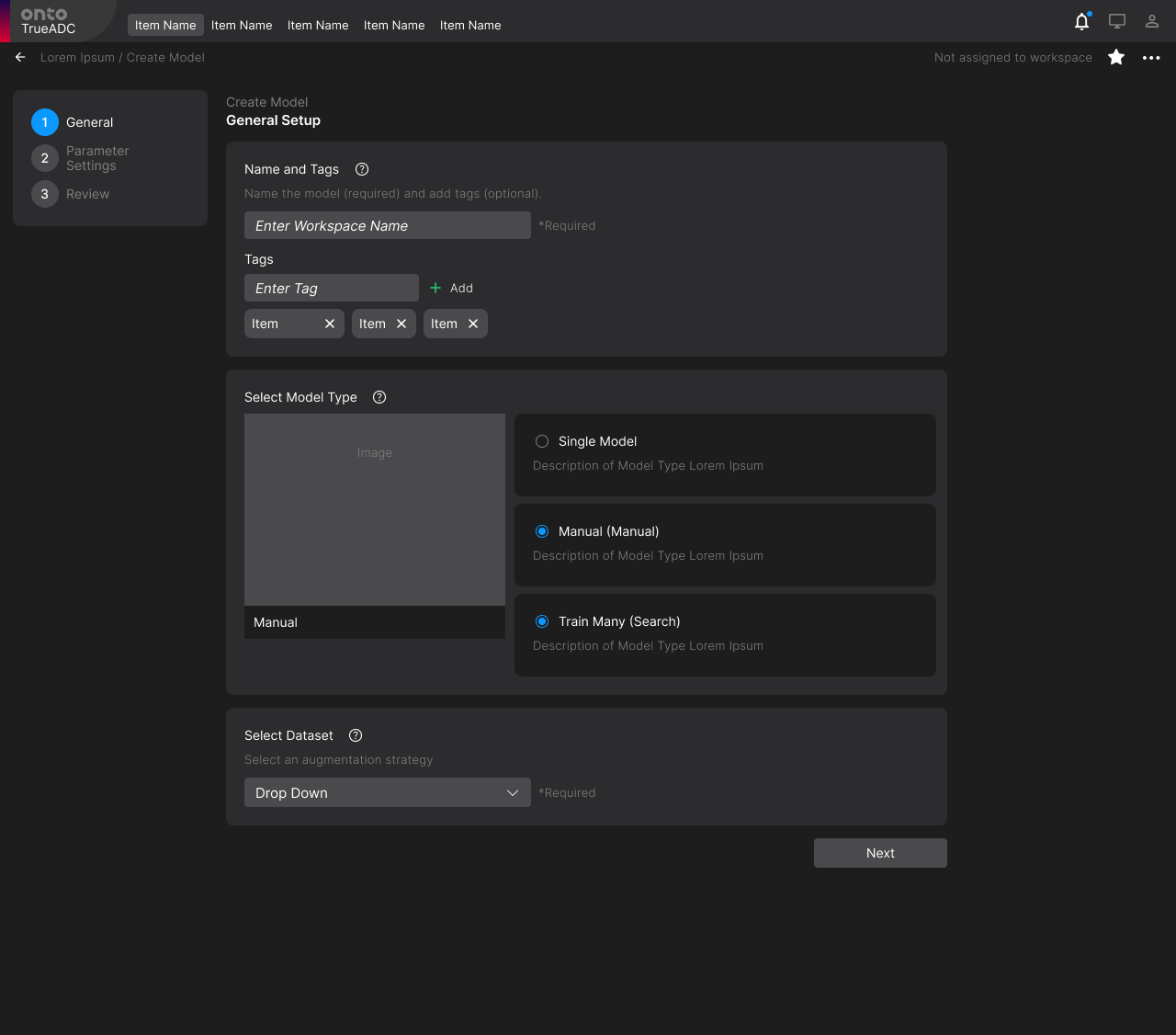
Model Creation
Step 1: Model Information (Tags, Description, Type, etc)
“View All Models”
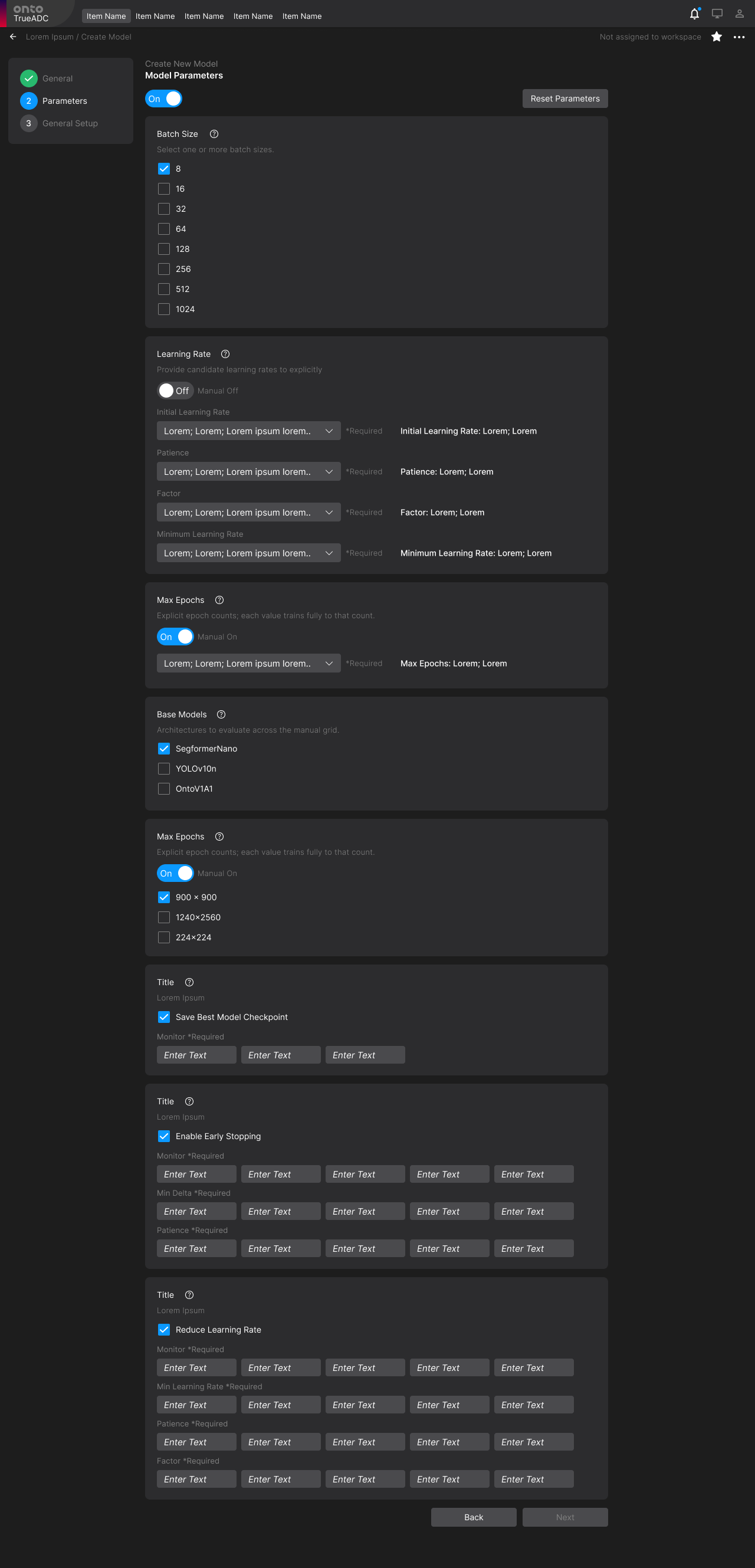
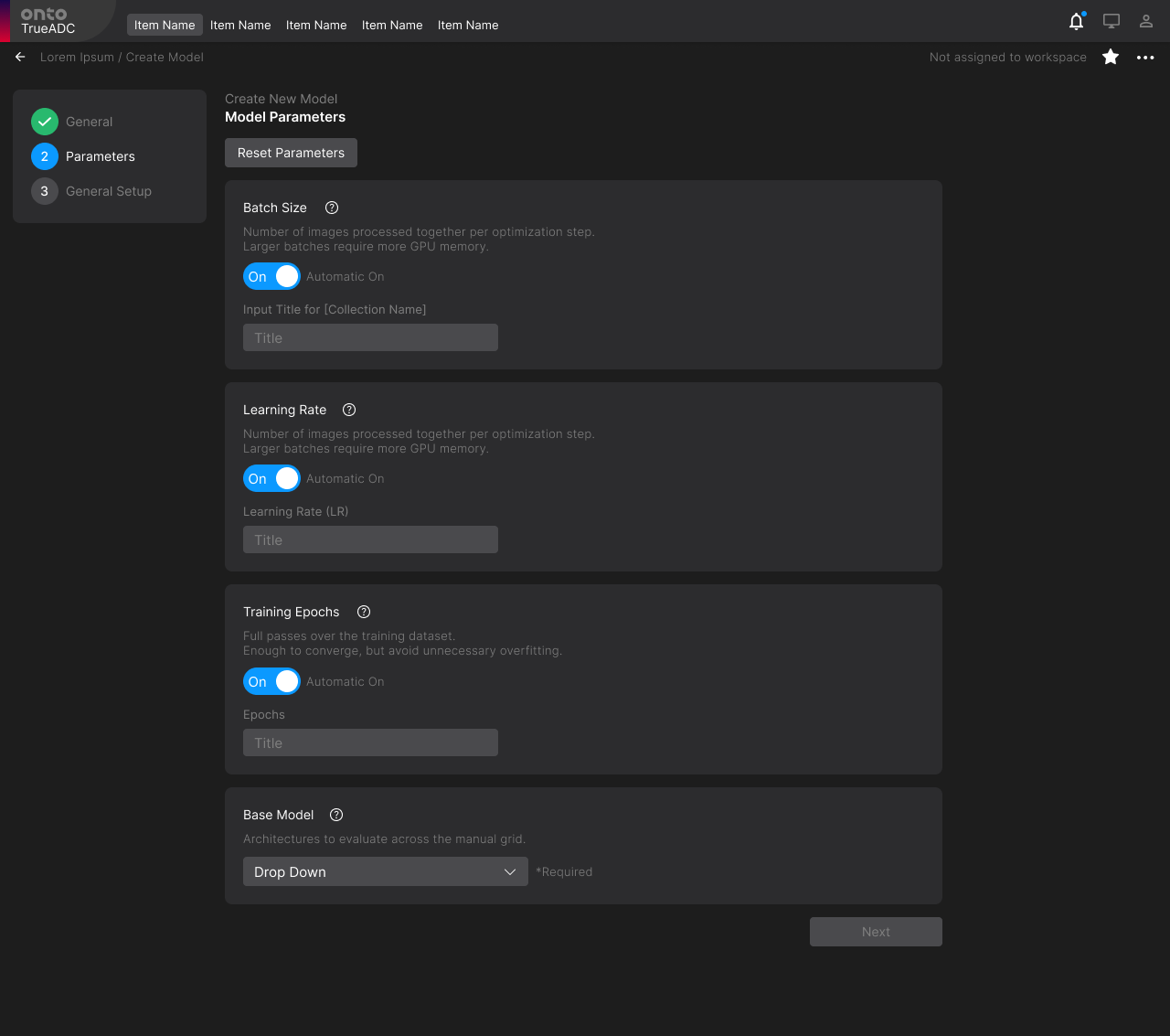
Step 3: Model Parameters (Manual and Automatic)
If user selects “Manual”, the user will have to meticulously adjust every parameter to their desired setting
Step 2: Parameter type (Automatic, Manual)
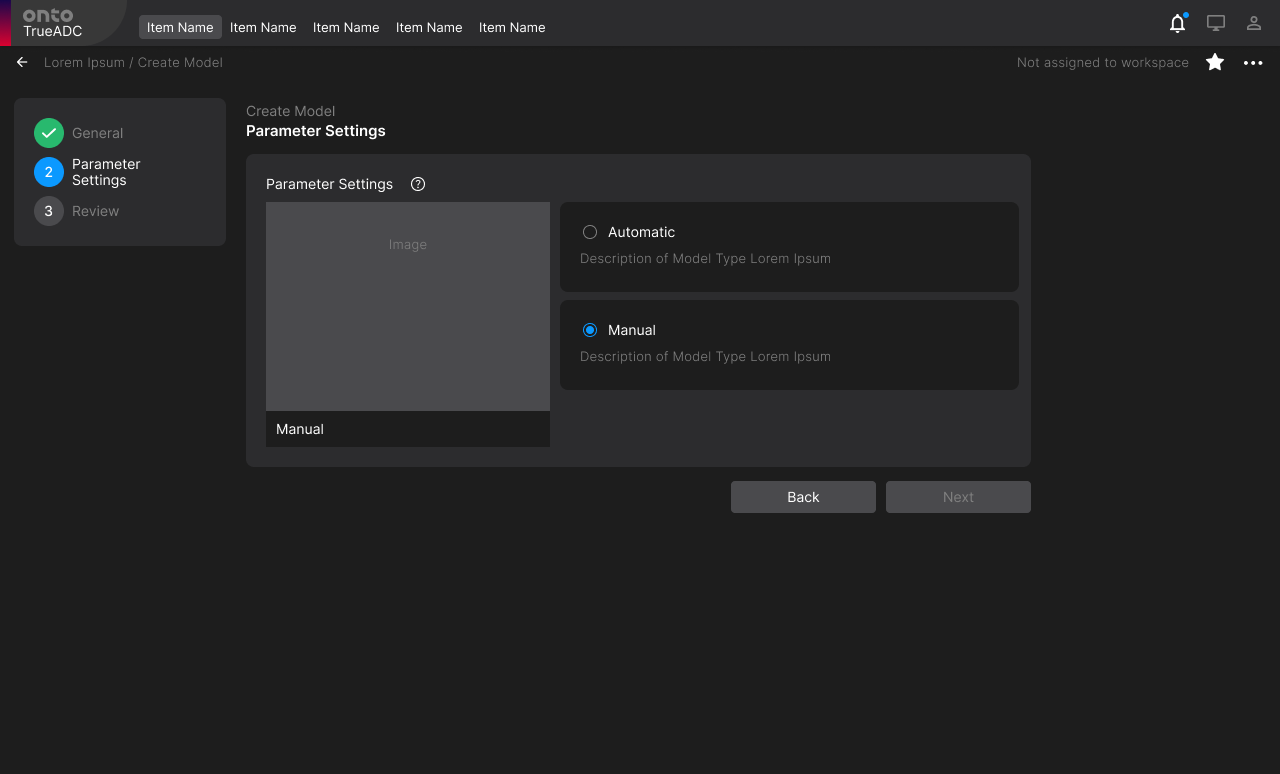
If user selects “Automatic” option, the parameters for the model are predetermined and defined for the user
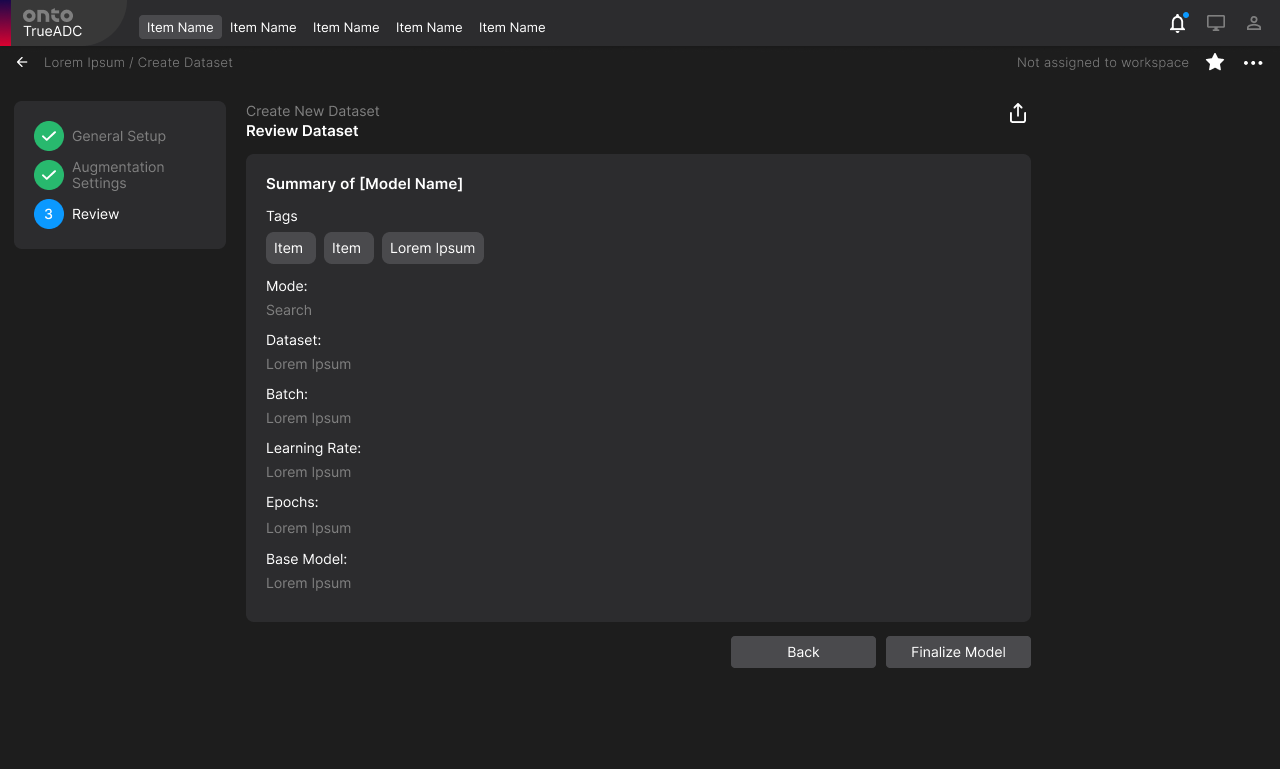
Step 4: Confirm and create model
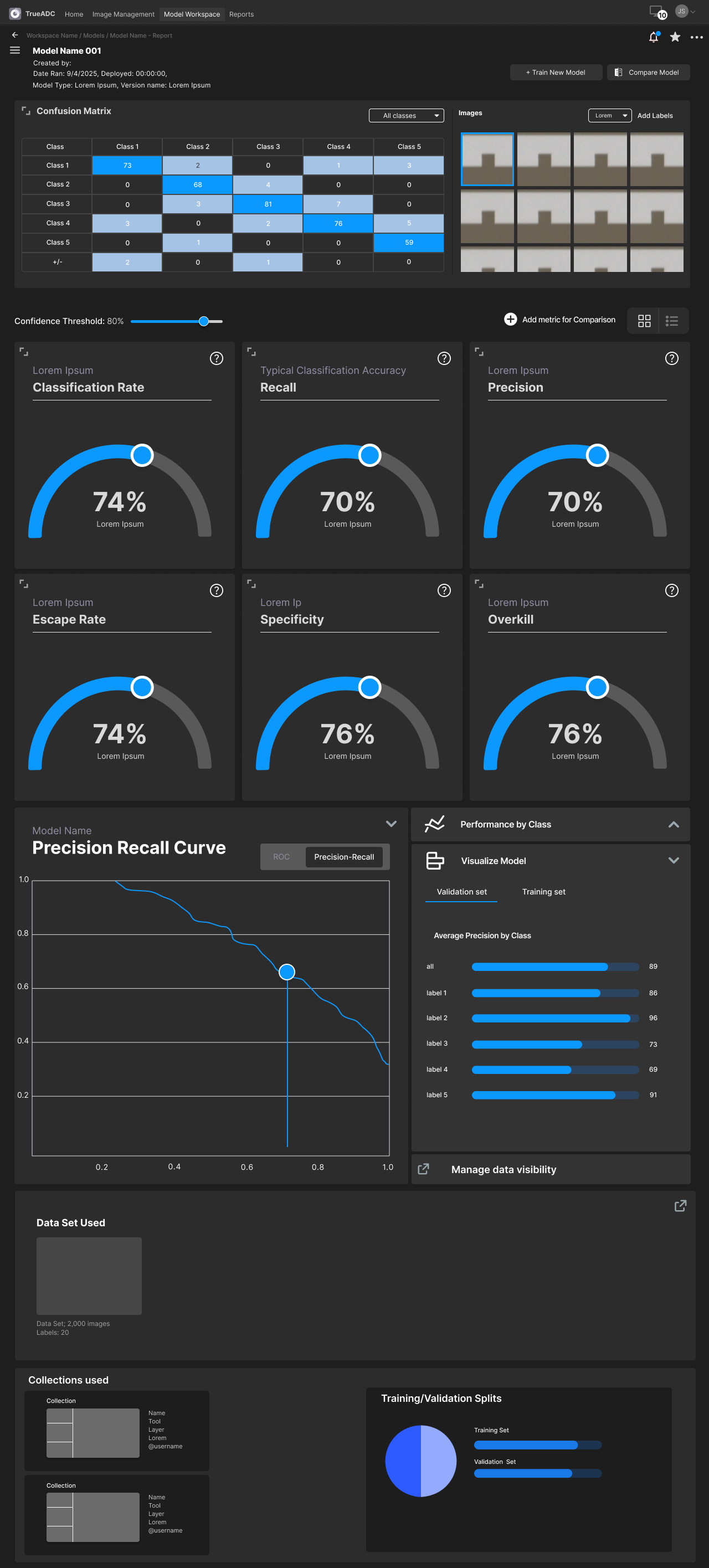
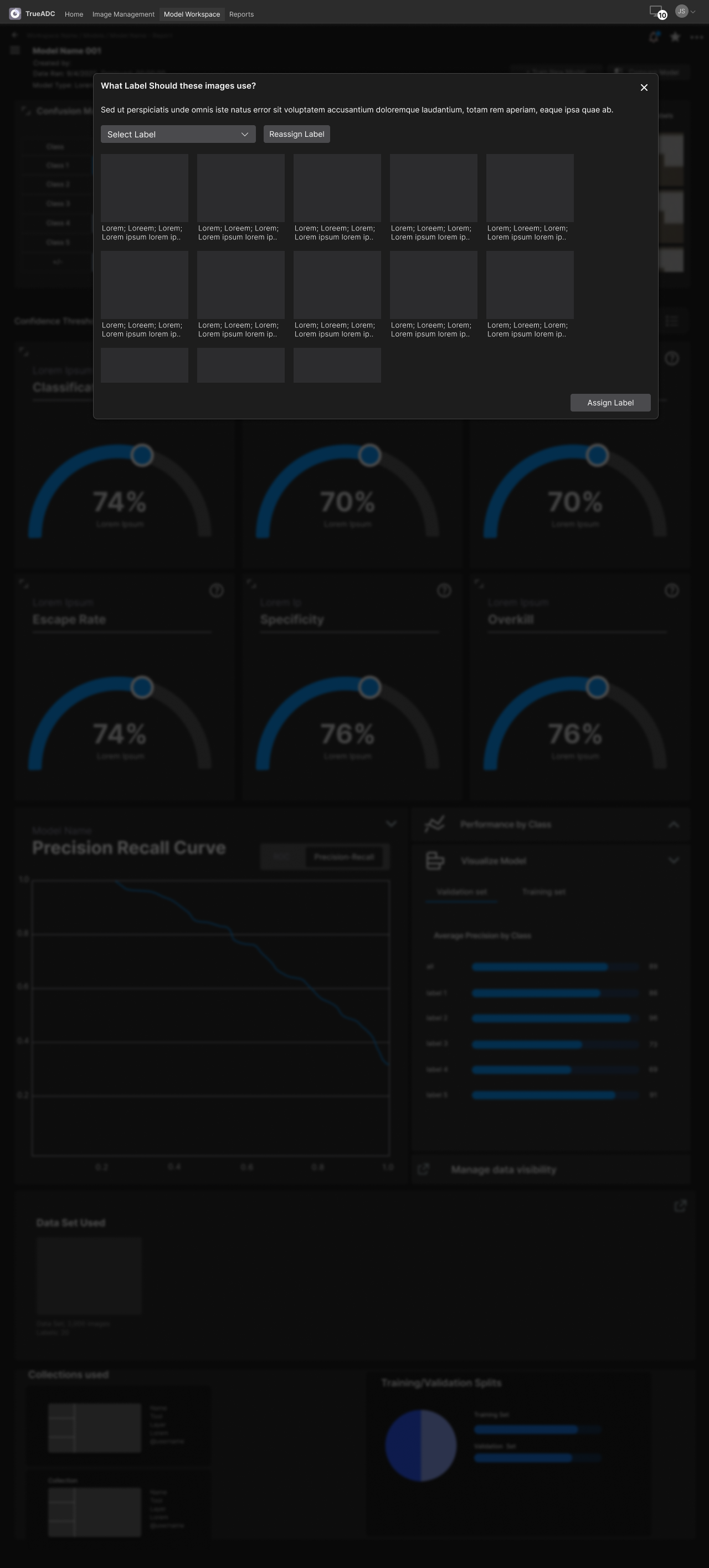
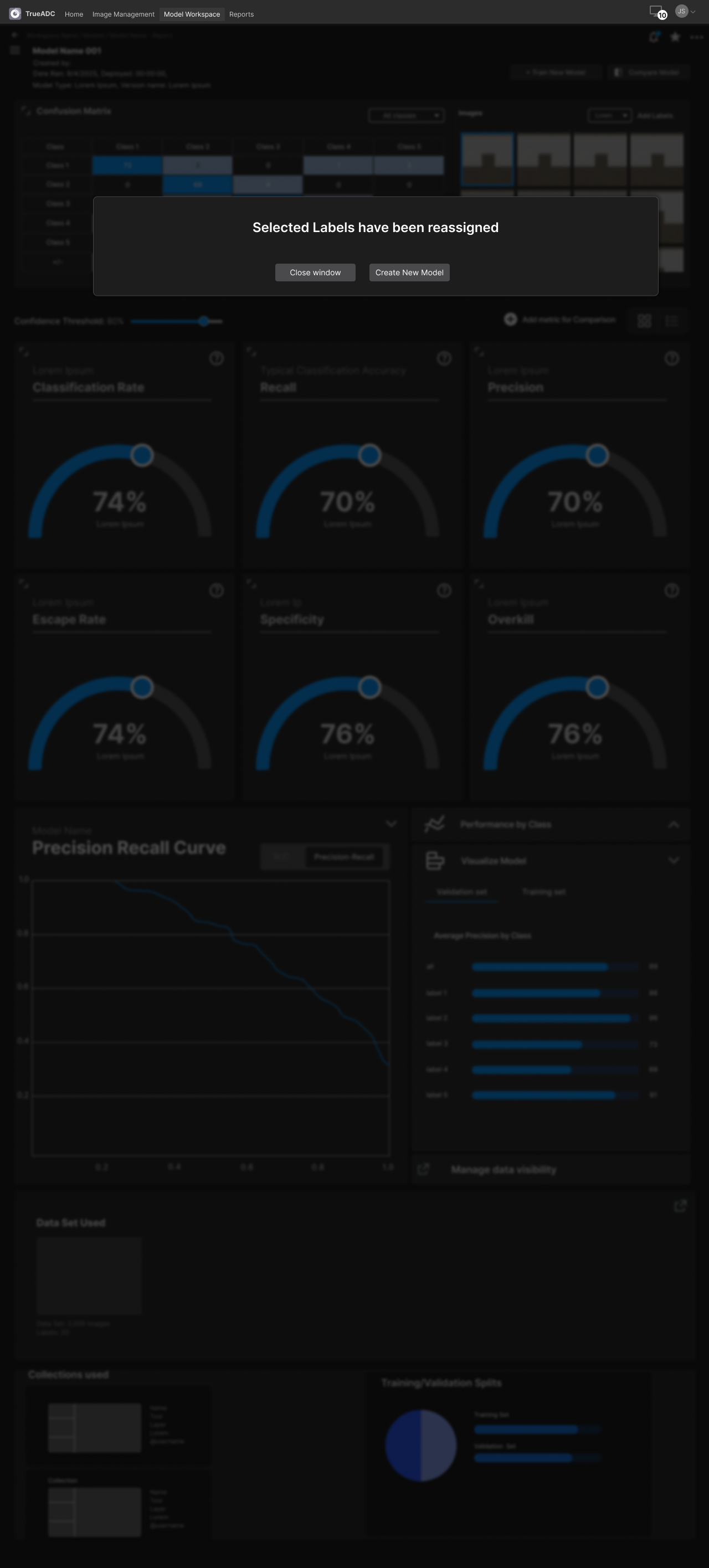
Model Evaluation and Label Reassignment
Datasets
Effective Datasets can push the detection model to new heights by pushing the limits of what the model is able to catch, track, and a flag as a defect. This is why TADC4’s Dataset flows needed to be comprehensive for the experienced, and streamlined and easy to use for the uninitiated.
Dataset Creation
Step 1: Dataset info
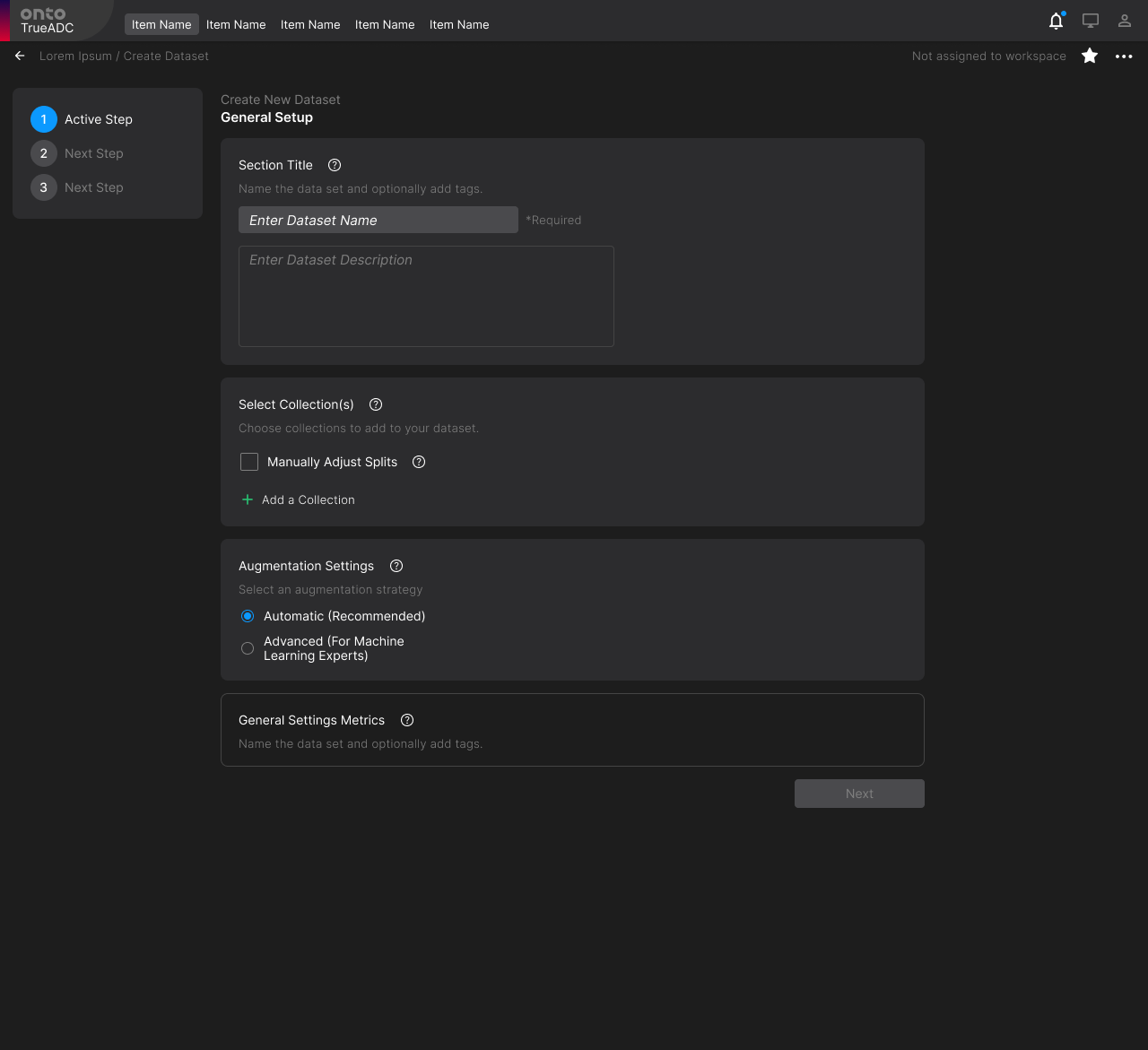
Step 2B: Advanced Augmentation Settings
Select Augments to be added to Dataset
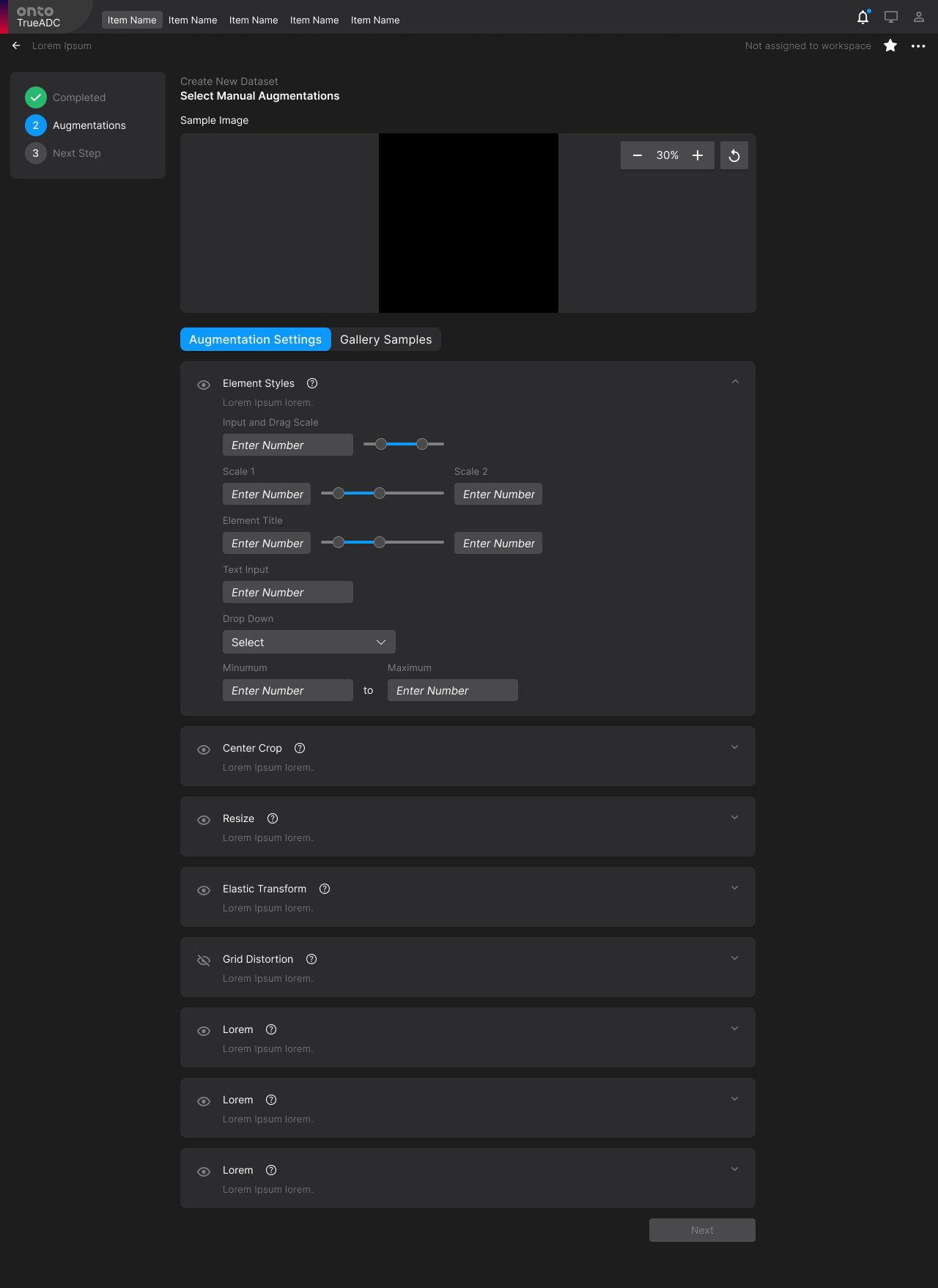
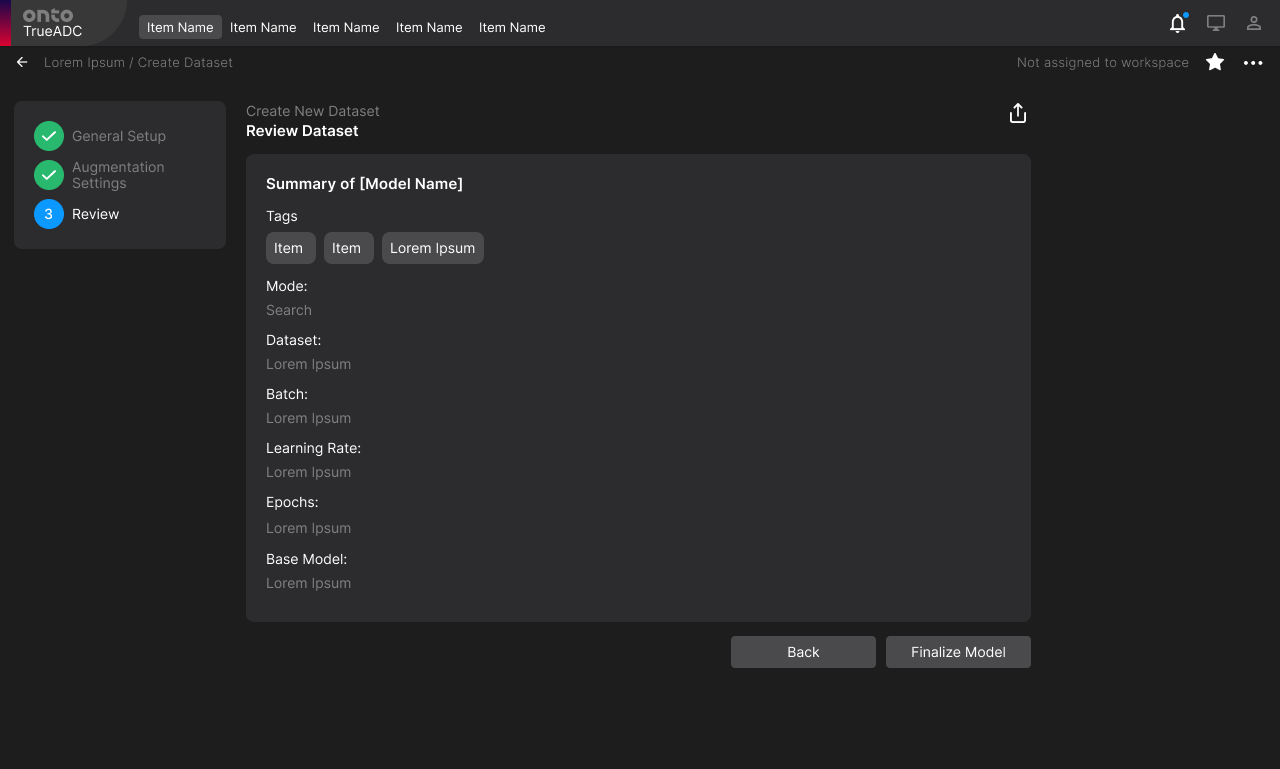
Depending on whether the user selects “Automatic” or “Advanced” Augmentation Settings, two different workflows will appear for the user.
Step 2A: Automatic Augmentation Settings
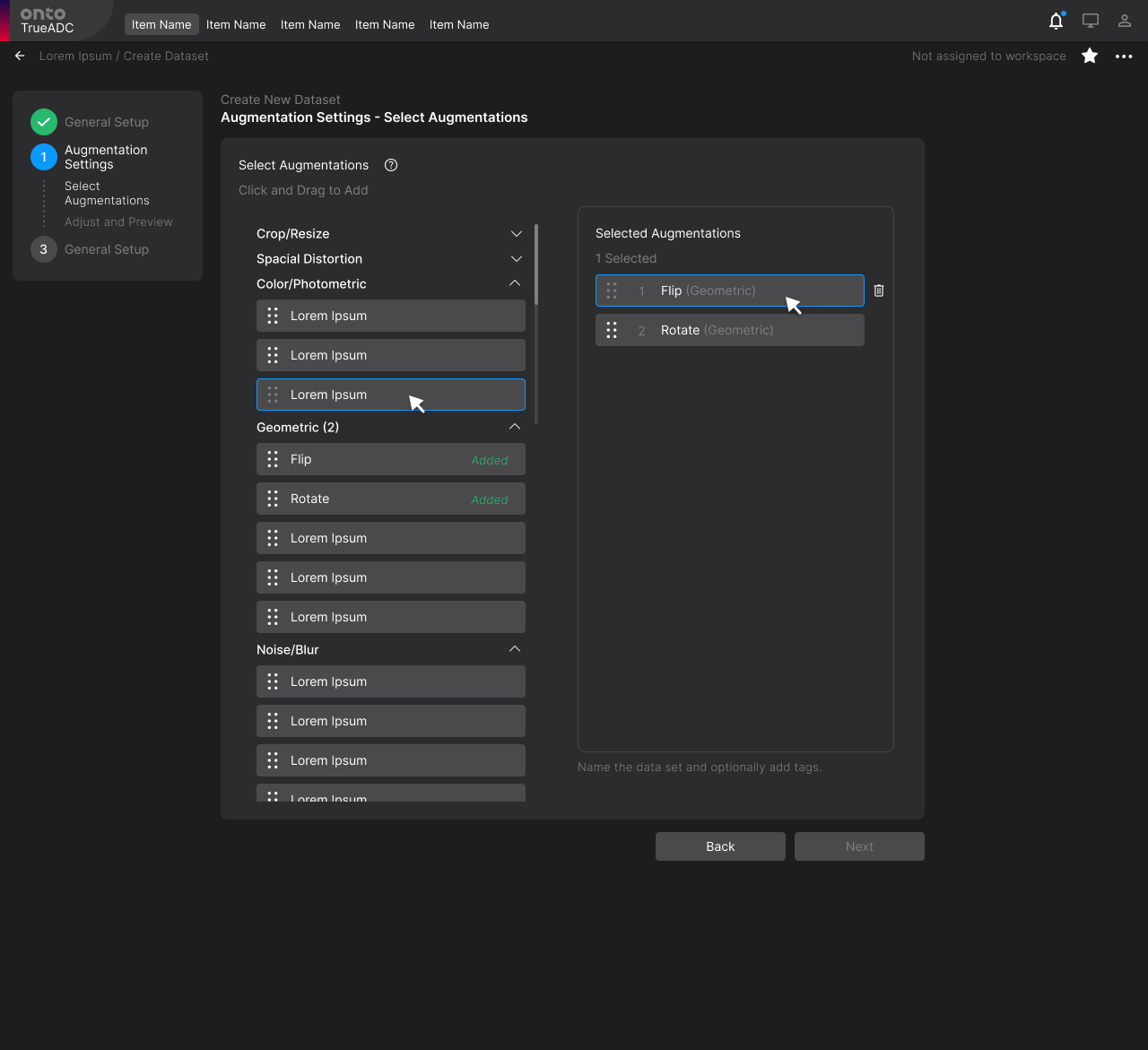
Step 3: Confirm final Dataset & Augmentation preferences before creating
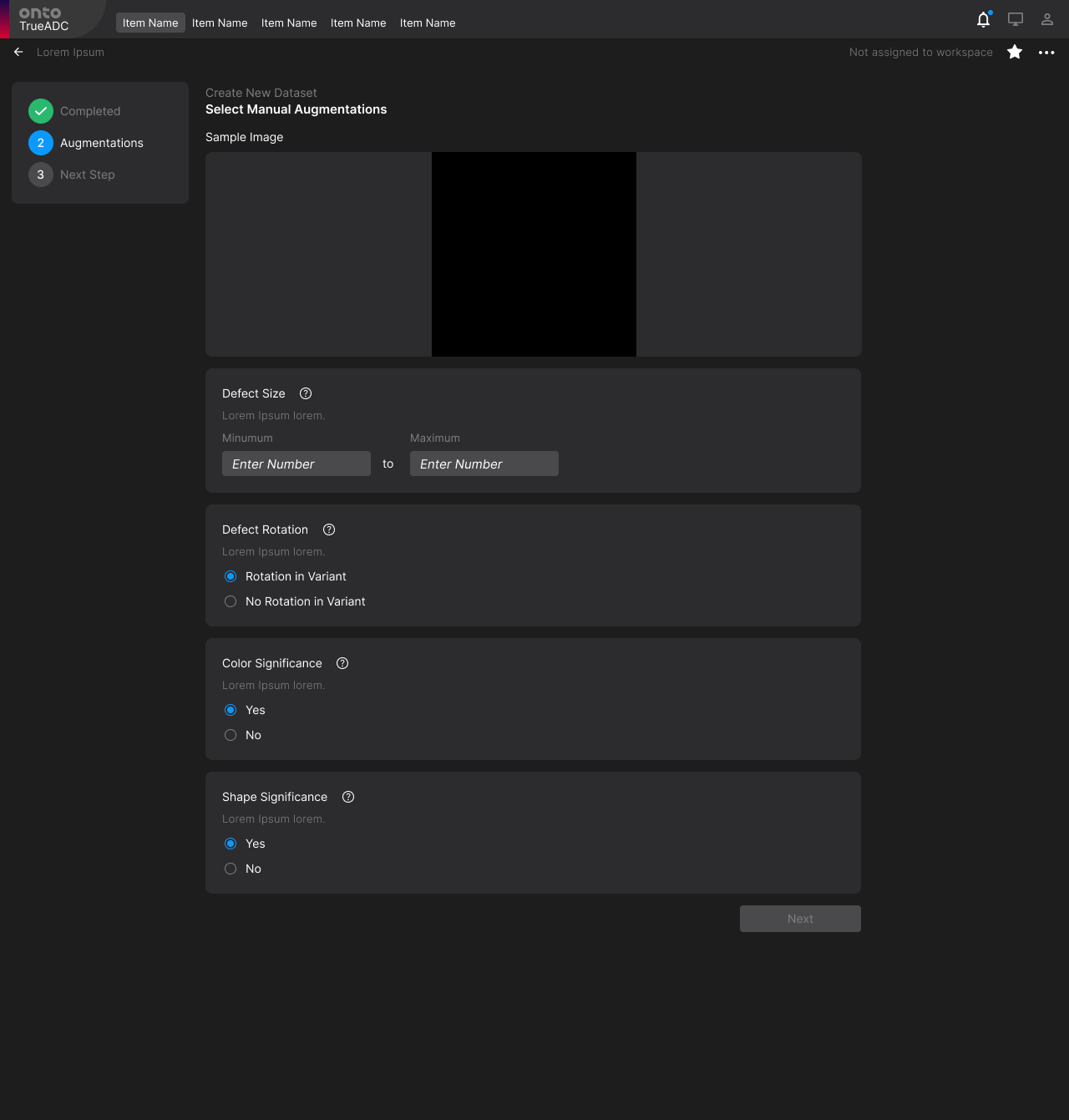
Set the each Augmentation threshold
Reports
Reports are a modest, yet vital final step in the entire detection/classification model user journey because at the end of creating the model, the most important question which remains is, “Is the model ready to be deployed?”
The role Reports plays in this cycle of model creation is arguably the most importat because without this step, models cannot be signed off nor deployed for use.
Step 1: Selecting Models to add to report
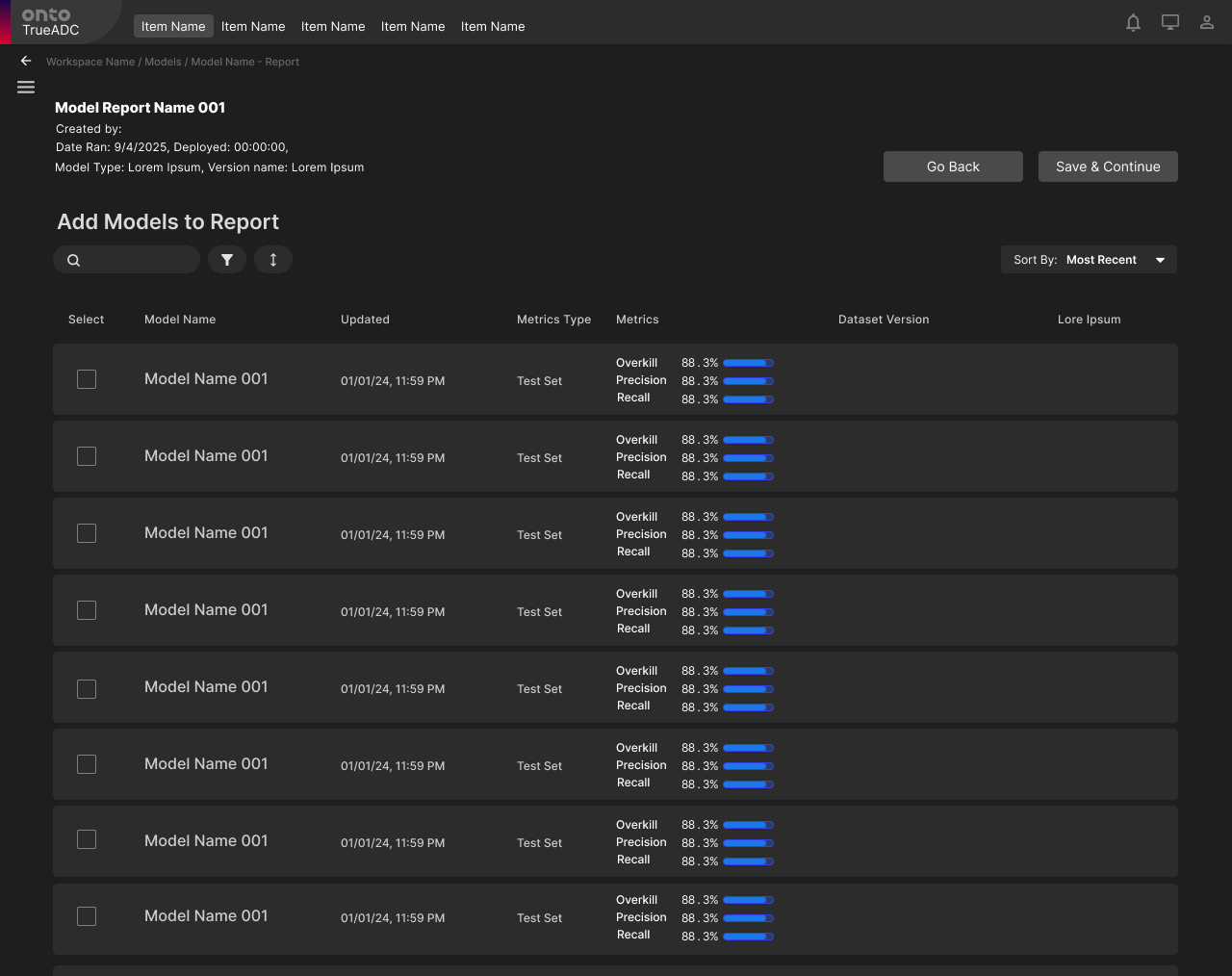
Step 3: Selecting Collection within Model
3A: Simple Query
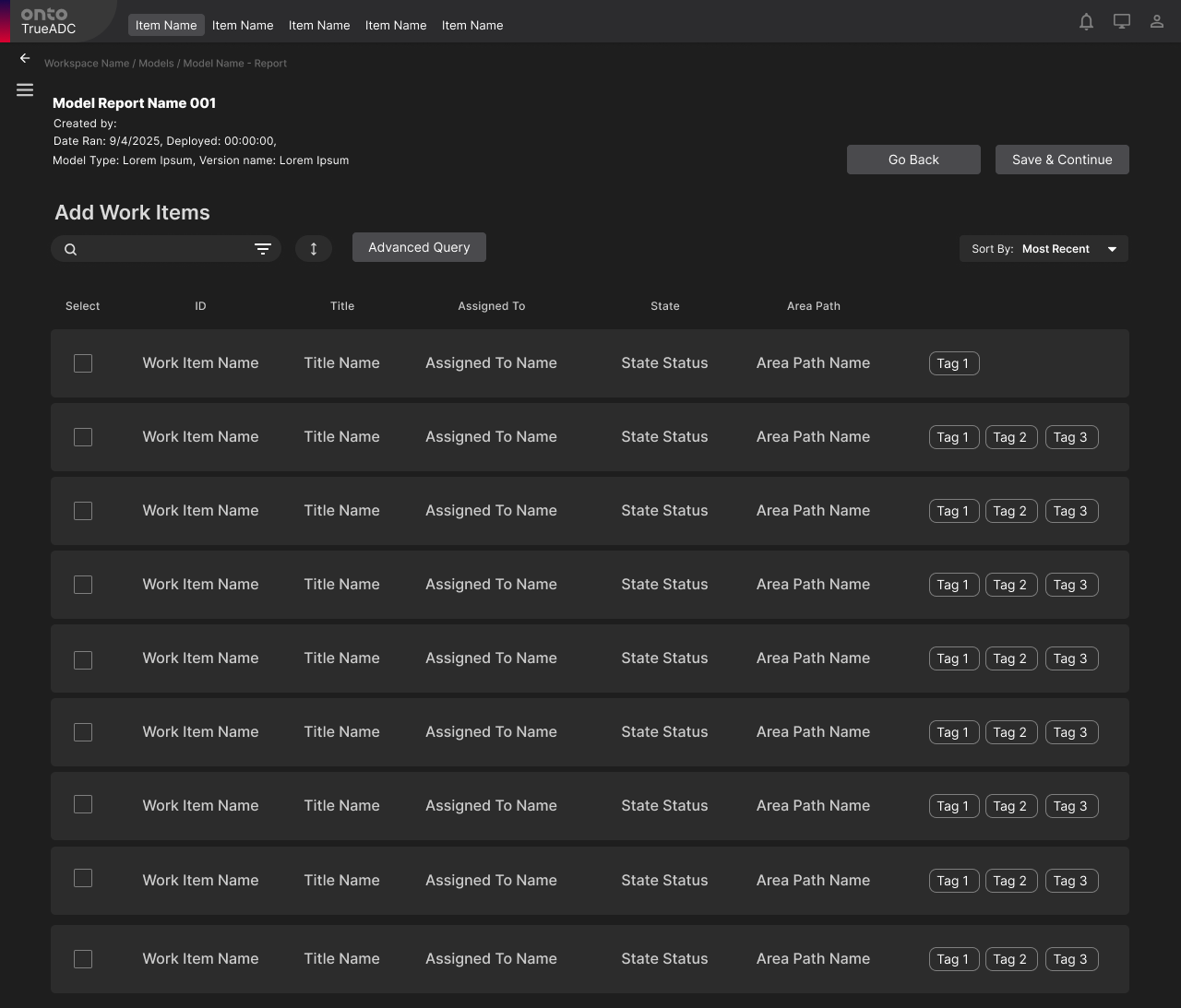
Step 2: Selecting Collection within Model
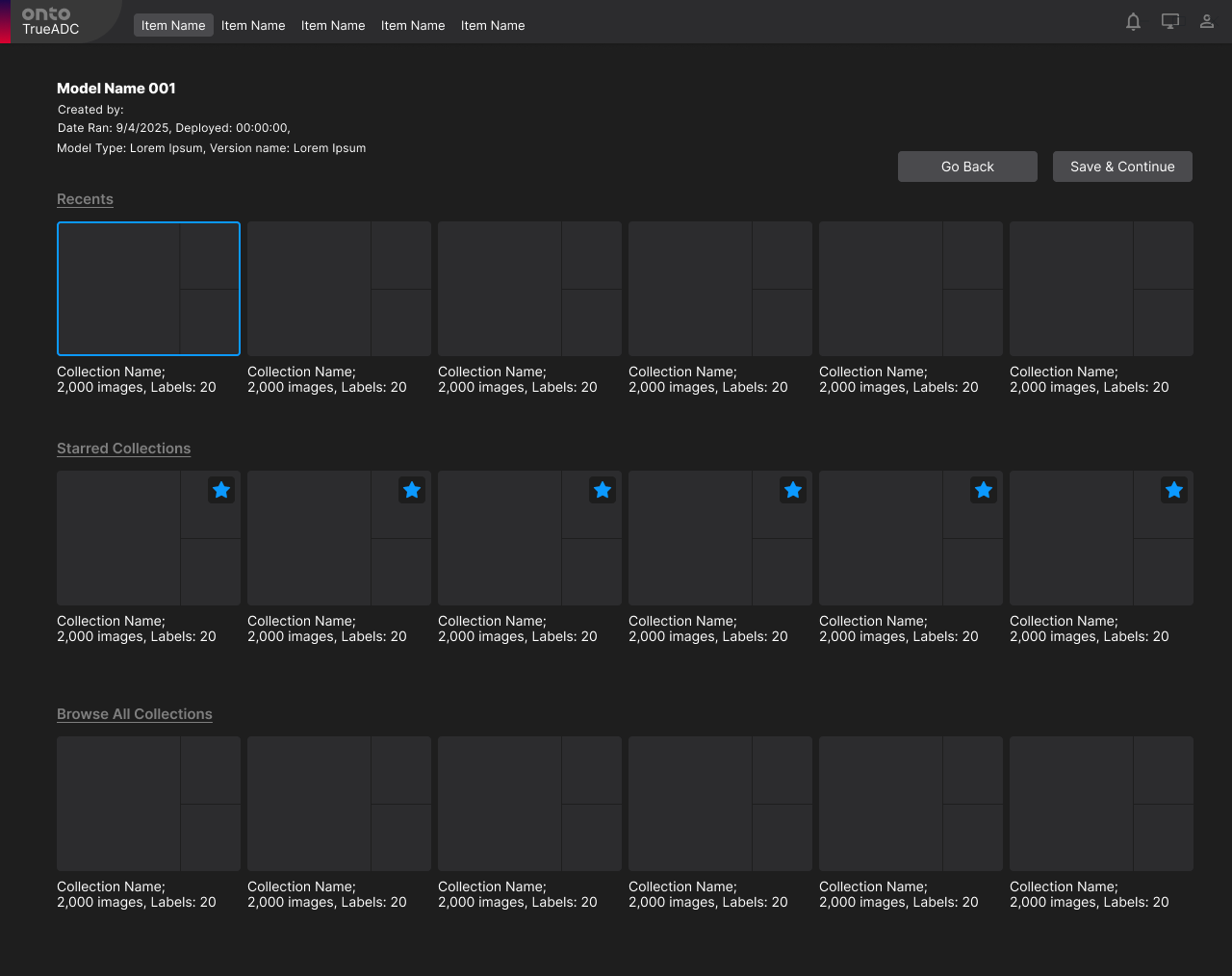
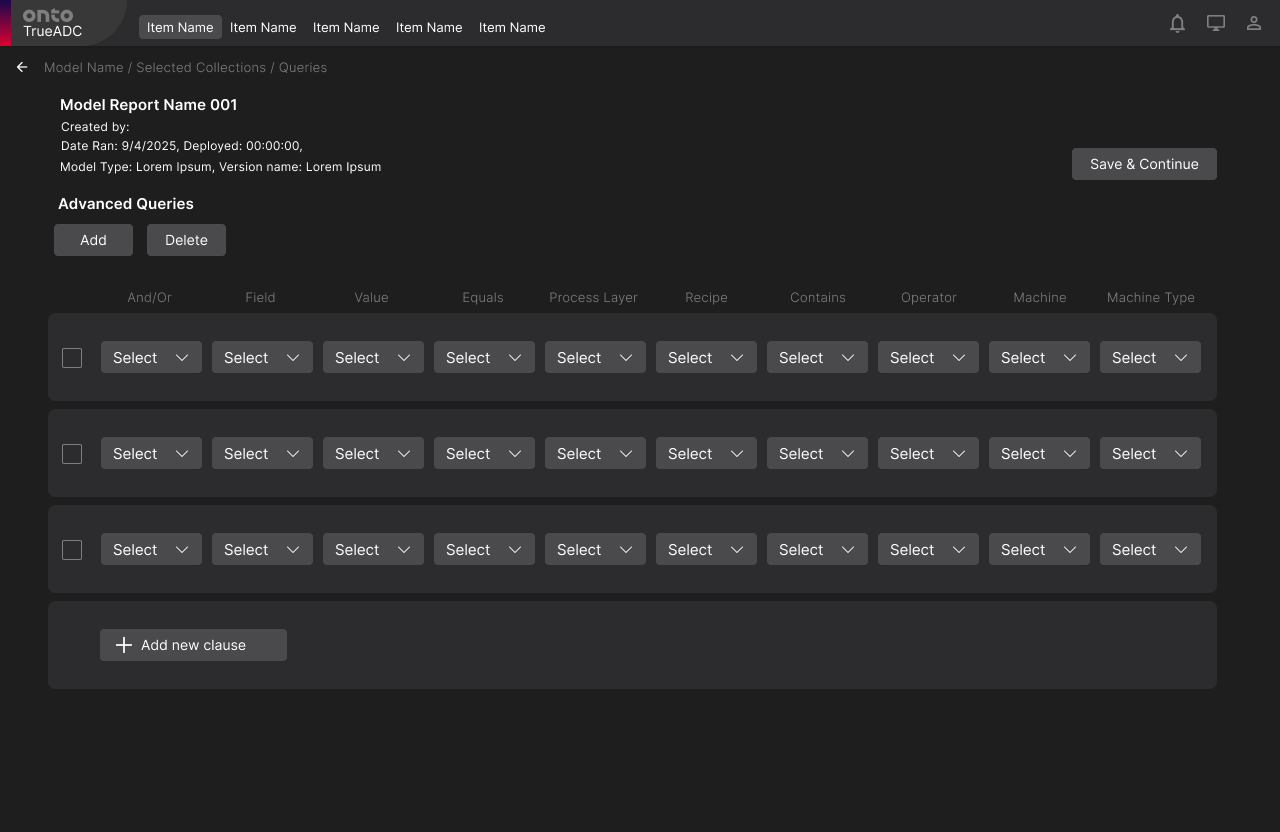
3B: Advanced Query
Conclusion
I transformed ADC from a low-usability, fragmented system into a unified ML workflow platform that enables engineers to:
Understand model behavior
Diagnose and fix errors
Generate actionable insights
This project required designing for:
Highly technical users
Complex data relationships
Real-world manufacturing constraints
More importantly, it taught me how to:
Turn complex machine learning systems into intuitive tools that drive real-world decisions—not just surface-level interactions.